
Lesson 3: Adding A New Deal

You can add a new deal by either clicking on:
- New Deal located on the left-hand side of the Opportunities page
2. Add New Deal button on the right-hand side of the Opportunities page.
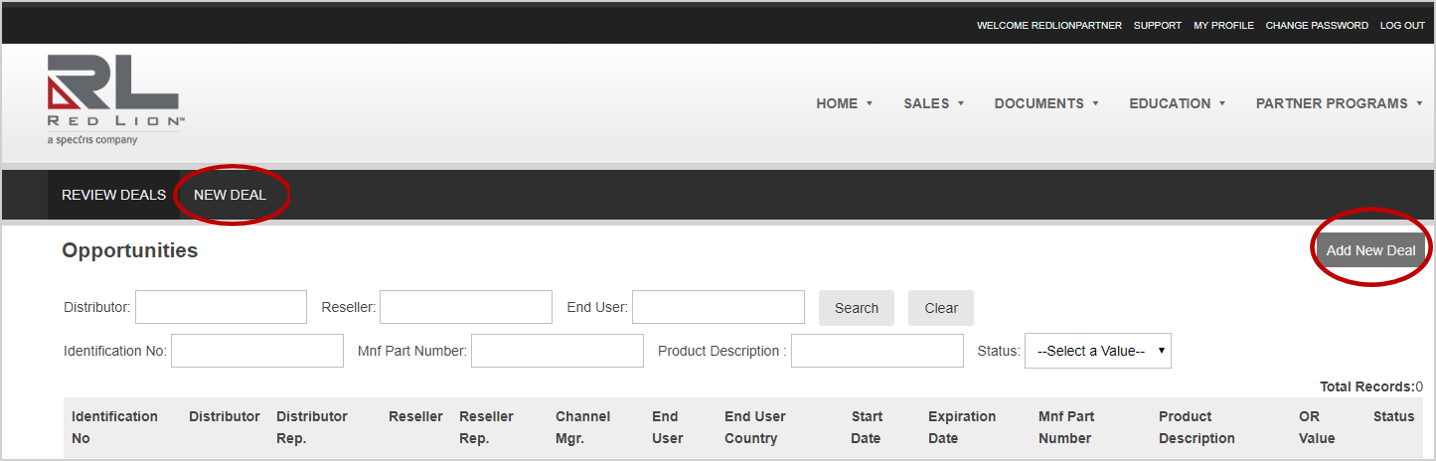
Either way, you’ll be directed to New Opportunity Registration page.